Backend Engineering / Databases
The 'Black Box' of SQL: Why Your ORM is Killing Your Production Performance
Entity Framework and Dapper are masterpieces of abstraction. They are also the reason your production database is screaming at 4 PM on a Friday.
Written by

Codehouse Author
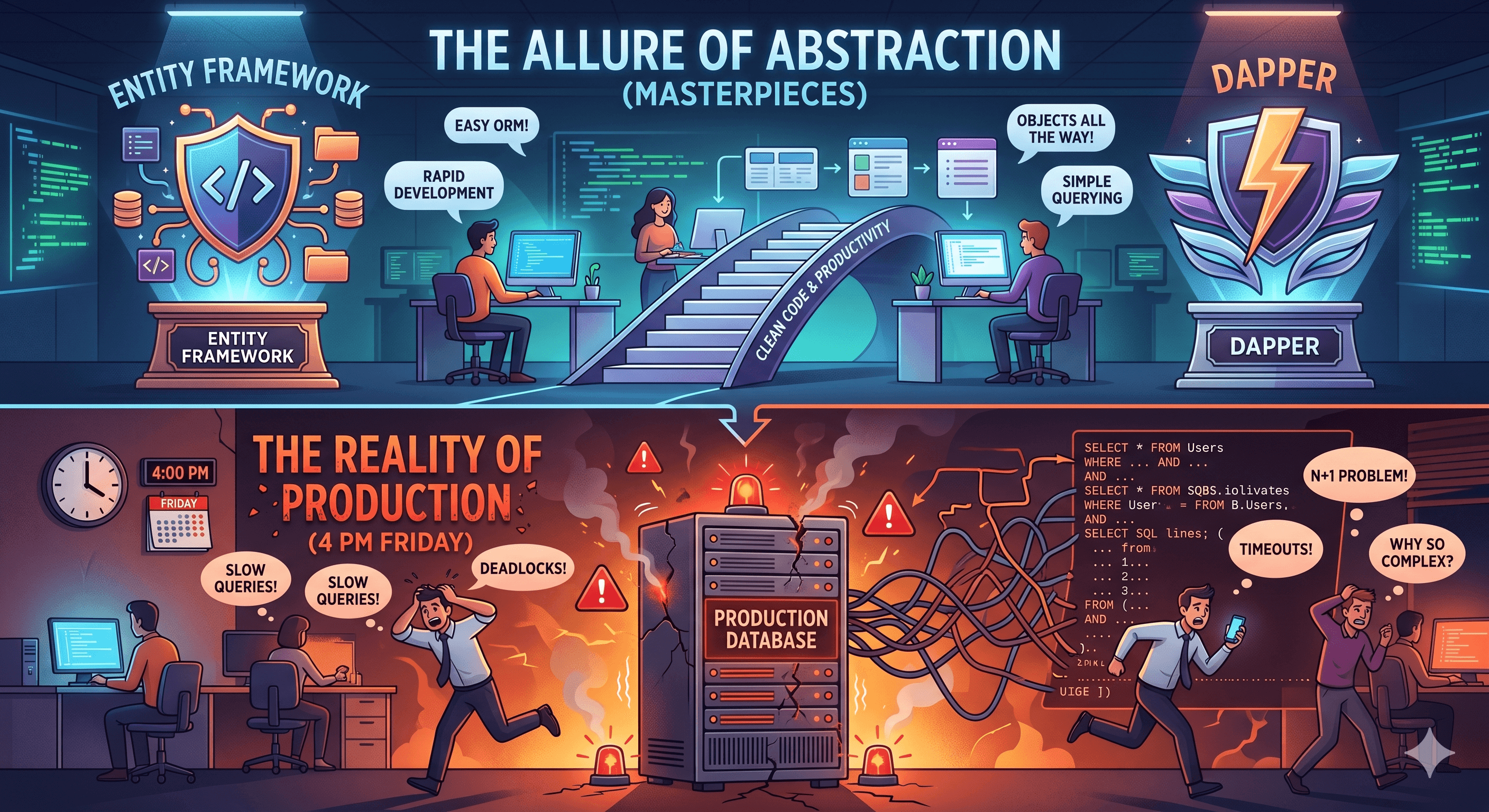
It’s Friday at 4:15 PM. The application dashboard is glowing red. Users are reporting that "the site is slow," but your CPU and Memory on the web servers look perfectly fine. You check your code, and it’s clean—clean architecture, repository patterns, and beautiful LINQ queries. Everything looks production-ready. Yet, the database is pegged at 99% CPU, gasping for air. This is the classic SQL Performance Optimization nightmare that separates those with "Hollow Experience" from true senior engineers.
The problem isn't your code; it's the "Black Box" you've built around your database. We’ve trained a generation of developers to treat SQL as an implementation detail that an ORM (Object-Relational Mapper) should handle. While this works for "Hello World" apps, it’s a ticking time bomb for any serious system. As we discussed in our Production API Checklist, if you don't know what's happening under the hood, you aren't in control.
1) The "N+1" Trap: The Silent Performance Killer
One of the most common issues in SQL Performance Optimization is the N+1 problem. Your ORM makes it too easy to write a loop that executes a new database query for every single item in a list. To the developer, it looks like a single line of code; to the database, it’s a machine-gun fire of requests that destroys throughput.
The Symptom: High latency on simple list pages.
The Senior Fix: Use Eager Loading or, better yet, write a targeted JOIN. Stop letting the ORM guess how to fetch your data.
2) The Execution Plan: Your Only Source of Truth
If you aren't looking at Execution Plans, you are just guessing. An Execution Plan is the database's roadmap for how it intends to find your data. You can learn more about how to read them in the official SQL Server documentation. Without this mental model, you'll find yourself adding random indexes and hoping for the best—a strategy that often makes things worse.
Index Scan vs. Index Seek: Do you know the difference? One reads the whole index (Slow); the other jumps straight to the record (Fast).
Implicit Conversions: Comparing a `VARCHAR` parameter to a `NVARCHAR` column can force the database to scan the entire table, ignoring your indexes completely.
3) Moving Beyond the "Hollow Experience"
True seniority isn't about how many libraries you know; it's about your foundational roots. In any Full-Stack Developer Roadmap, the database is the most common point of failure. When the abstractions fail—and they always do under load—your ability to drop down into raw T-SQL and analyze a deadlock or a missing index is what saves the day.
Don't be a passenger in your own architecture. Mastering the database internals isn't "old school"—it's the only way to build systems that actually survive production traffic. By understanding these foundations, you can ensure your apps stay fast when it matters most.
It’s Friday at 4:15 PM. The application dashboard is glowing red. Users are reporting that "the site is slow," but your CPU and Memory on the web servers look perfectly fine. You check your code, and it’s clean—clean architecture, repository patterns, and beautiful LINQ queries. Everything looks production-ready. Yet, the database is pegged at 99% CPU, gasping for air. This is the classic SQL Performance Optimization nightmare that separates those with "Hollow Experience" from true senior engineers.
The problem isn't your code; it's the "Black Box" you've built around your database. We’ve trained a generation of developers to treat SQL as an implementation detail that an ORM (Object-Relational Mapper) should handle. While this works for "Hello World" apps, it’s a ticking time bomb for any serious system. As we discussed in our Production API Checklist, if you don't know what's happening under the hood, you aren't in control.
1) The "N+1" Trap: The Silent Performance Killer
One of the most common issues in SQL Performance Optimization is the N+1 problem. Your ORM makes it too easy to write a loop that executes a new database query for every single item in a list. To the developer, it looks like a single line of code; to the database, it’s a machine-gun fire of requests that destroys throughput.
The Symptom: High latency on simple list pages.
The Senior Fix: Use Eager Loading or, better yet, write a targeted JOIN. Stop letting the ORM guess how to fetch your data.
2) The Execution Plan: Your Only Source of Truth
If you aren't looking at Execution Plans, you are just guessing. An Execution Plan is the database's roadmap for how it intends to find your data. You can learn more about how to read them in the official SQL Server documentation. Without this mental model, you'll find yourself adding random indexes and hoping for the best—a strategy that often makes things worse.
Index Scan vs. Index Seek: Do you know the difference? One reads the whole index (Slow); the other jumps straight to the record (Fast).
Implicit Conversions: Comparing a `VARCHAR` parameter to a `NVARCHAR` column can force the database to scan the entire table, ignoring your indexes completely.
3) Moving Beyond the "Hollow Experience"
True seniority isn't about how many libraries you know; it's about your foundational roots. In any Full-Stack Developer Roadmap, the database is the most common point of failure. When the abstractions fail—and they always do under load—your ability to drop down into raw T-SQL and analyze a deadlock or a missing index is what saves the day.
Don't be a passenger in your own architecture. Mastering the database internals isn't "old school"—it's the only way to build systems that actually survive production traffic. By understanding these foundations, you can ensure your apps stay fast when it matters most.